SFSU Gateway Registration Instructions
How to register and pay using SFSU Gateway.
Select Classes

SFSU Login and Password
New Students
Create an SFSU Login and follow the email instructions to obtain an SFSU Password.
Returning Students
Log in to Gateway
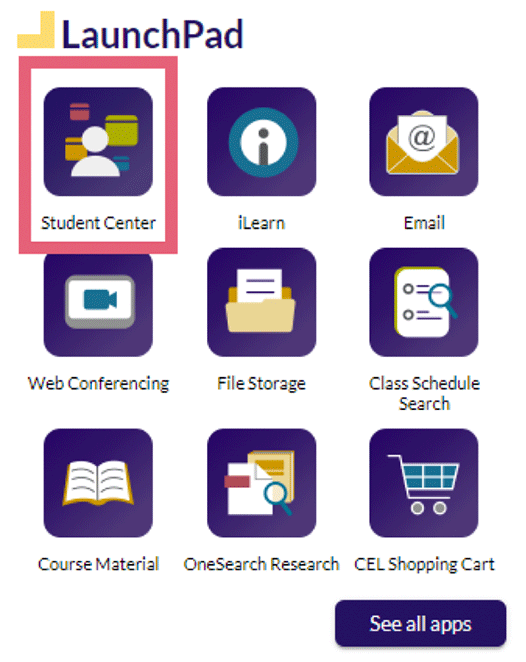
Select Student Center
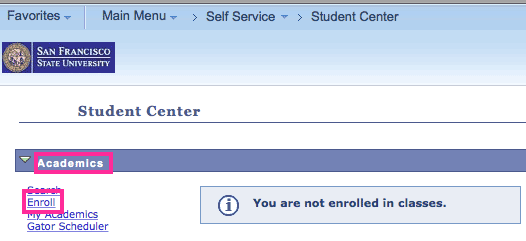
Select Academics > Enroll
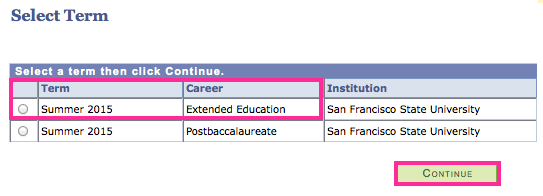
Select Term and Career
Select the desired Term and Career, then select Continue
- For CEU / noncredit courses, select Career Extended Education
- For academic credit courses, select Career Postbaccalaureate or Undergraduate
If you have questions about this step, contact Enrollment Services at (415) 405-7700 to speak to Enrollment Services staff.
Add Class Number
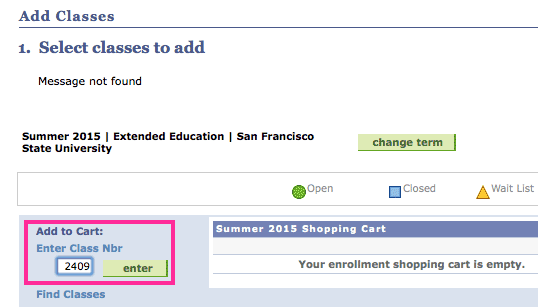
Type the Class Number and select Enter
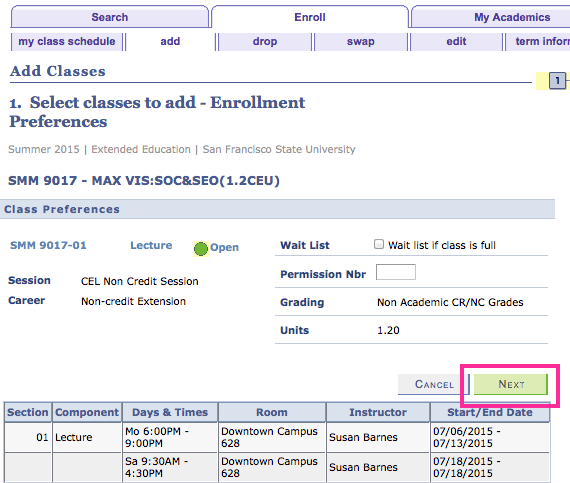
Select Next
The class is now in your shopping cart.
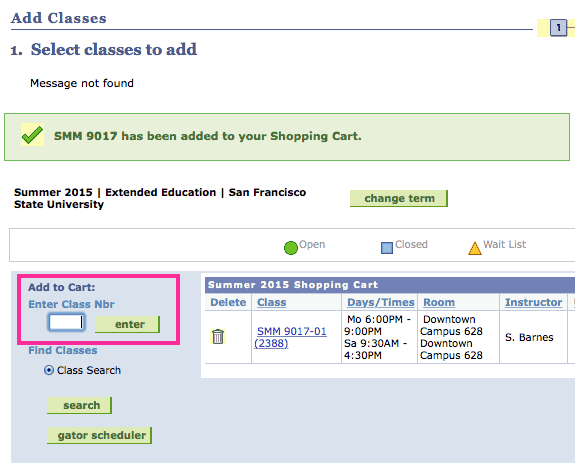
Repeat
Repeat the above process to add additional classes.
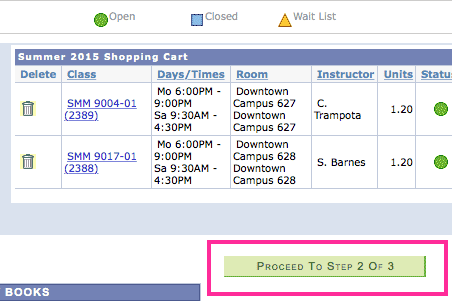
Proceed
Select Proceed to Step 2 of 3
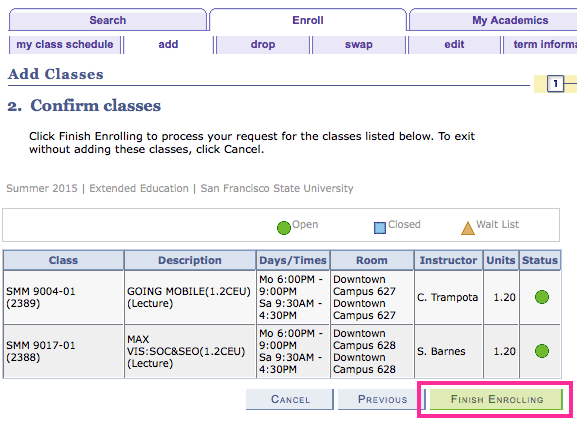
Finish Enrolling
Check the courses in your cart and select Finish Enrolling
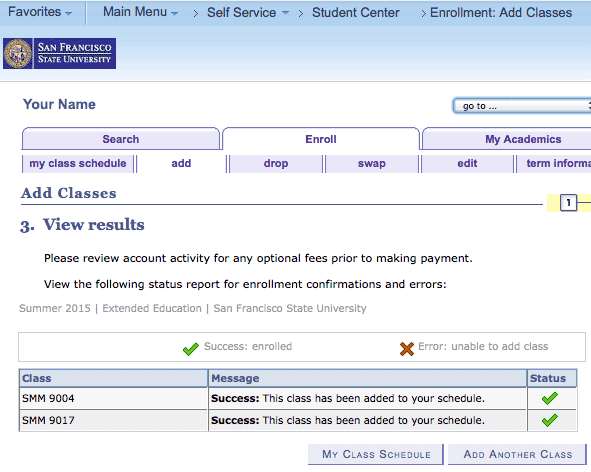
You're Now Registered
You are now registered in classes and ready to pay.
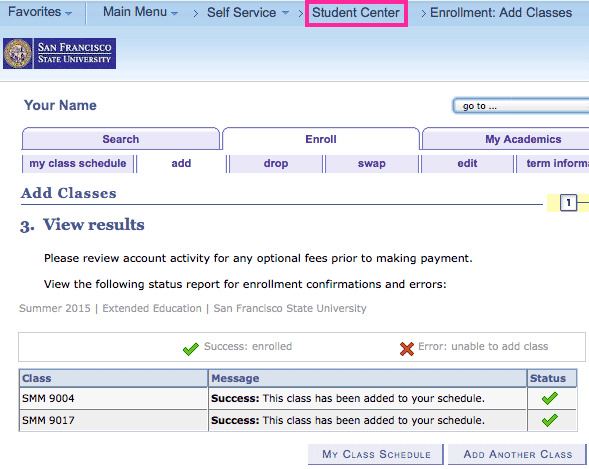
To Pay, Select Student Center
Select Student Center from the top of the page
Select Finances > Account Inquiry
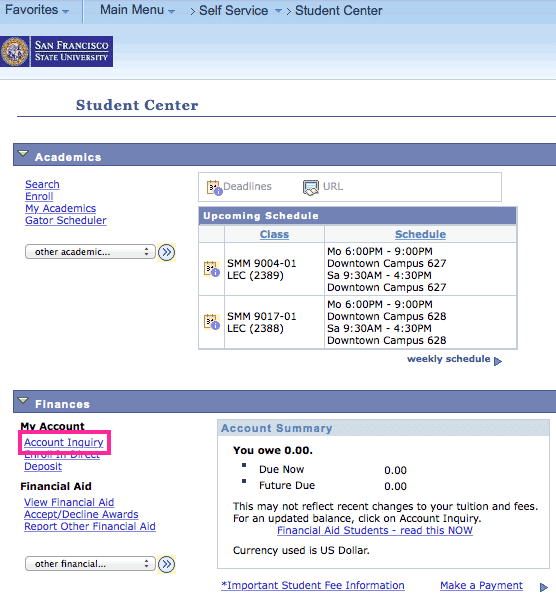
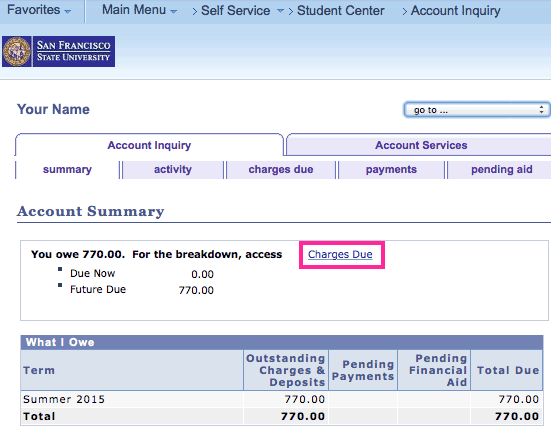
Select Account Summary > Charges Due
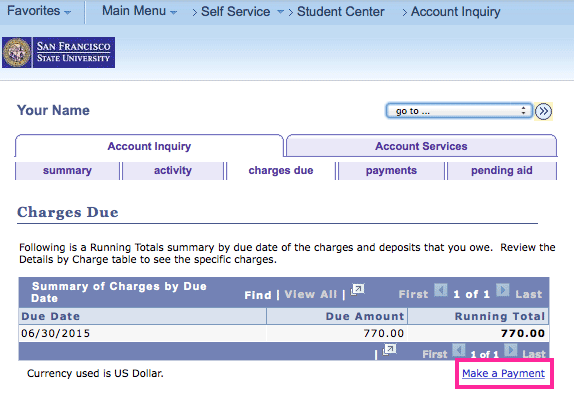
Select Make a Payment
Make Payment
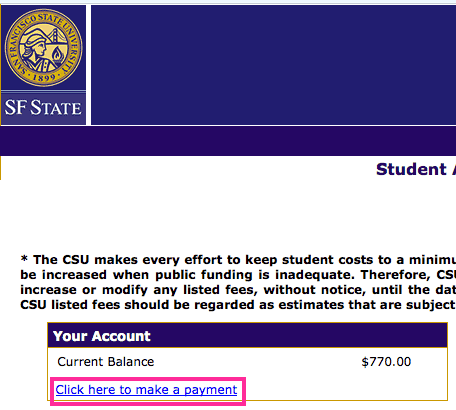
Select Your Account > Click here to make a payment and complete your payment