Track Your Financial Aid Disbursements
The best way to view and track your financial aid disbursements is through your Account Activity in the Student Center.
How to View Your Account Activity
- Log in to the SFSU Gateway using your SFSU credentials.
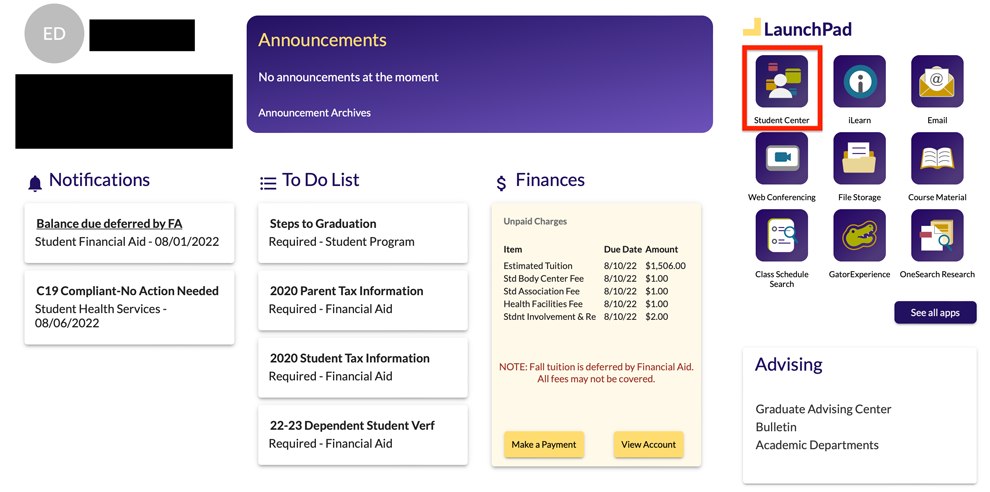
In the Launchpad section, select “Student Center.”
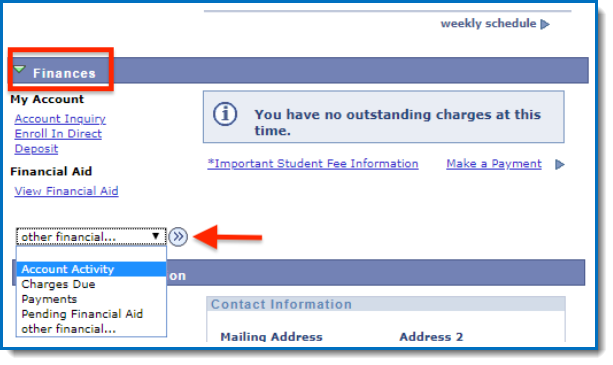
In the Finances section, open the drop-down menu and select "Account Activity," then click on arrow button to continue.
On the Account Activity page, select "All Terms" and choose the semester you want to review.
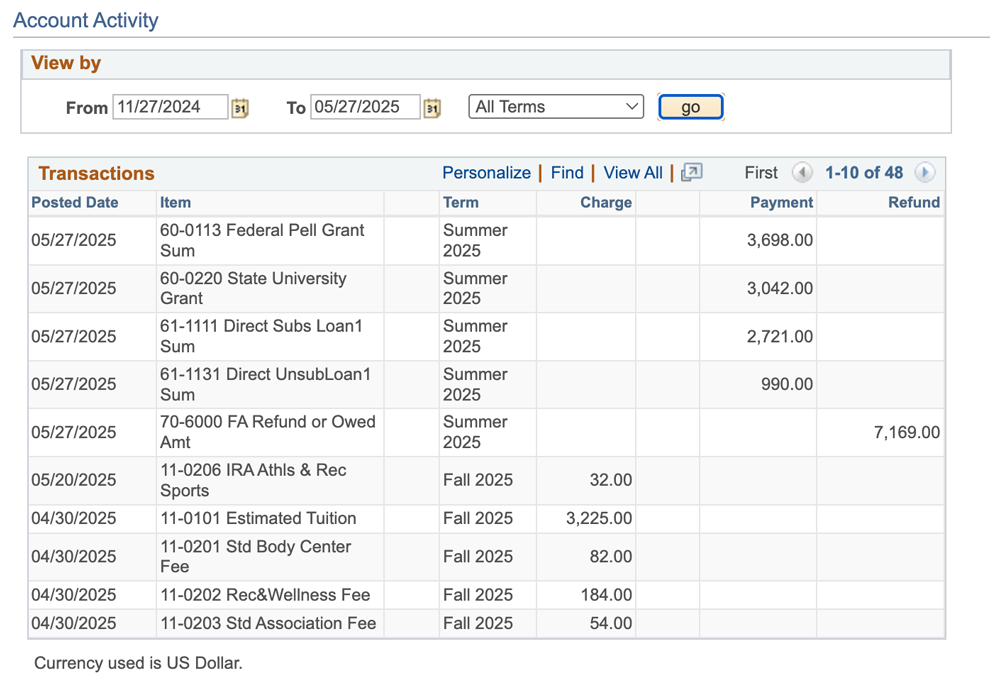
Activity page glossary:
Your Account Activity table includes the following columns:
- Charges — Tuition and fees charged to your account.
- Payments — Financial aid disbursements, third-party payments or out-of-pocket payments.
- Refunds — Any remaining funds issued to you after all charges are paid.